





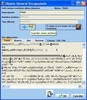
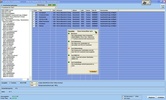
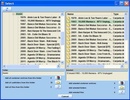
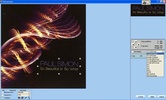
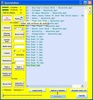
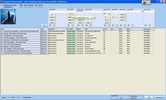
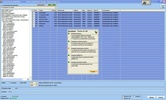
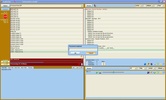
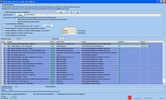
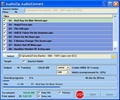
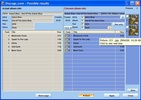

AudioZip is a really complete and unique tool that music collectors have been waiting for! Programmed by a collector for collectors. Offering everything you need at hand.
It's a desktop application for Windows that was born in 2012 and grew up guided by the idea of creating a new multi-use tool to organize a collection of music files. From ripping, unzipping, renaming files and folders, tagging, converting, cutting, image editing, and much more to moving albums into a folder structure, everything is special and easy.
AudioZip shows up in 5 different languages (English, Spanish, German, French and Italian)
- Supported audio formats: Audio >> aac, ac3, aif, aiff, alac, ape, cda, fla, flac, m4a, m4b, mac, mp+, mp1, mp2, mp3, mp4, mpc, mpp, ogg, oga, wav, wma, wv
- Supported TAGs: ID3 (v1.0, v1.1, v2.2, v2.3, v2.4), APE(v1+2), FLAC, MP4, OGG, WMA, CD-Text
- Supported picture formats: bmp, exr, gif, ico, j2c, j2k, jif, jng, jp2, jpe, jpeg, jpg, jxr, wdp, hdp, pbm, pfm, pgm, png, ppm, targa, tga, tif, tiff, wap, wbm, wbmp, webp, xpm
Features
- With one click, any number of 7zip-supported files is unpacked, the respective target folder is correctly renamed using the TAG information and all unnecessary subfolder eliminated (All files in one folder).
· It can be renamed as often as you like (folder name easily adjustable) or be reverted to the original name if the TAG info is missing or incomplete.
· The integrated player enables instant listening.
· Deleting unnecessary files can be done instantly as well as inserting files (covers e.g.).
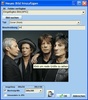
· TAG information can be added, edited or deleted (including images). Batch processing is configurable.
· The special JoinCDs function allows you to easily join multiple CDs in a single folder by dragging with the mouse, adapting the information of the TAGs.
· Well-tagged albums (folders) can be recompressed in zip and 7z formats (split, password…).
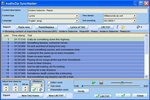
· Support of synchronized lyrics in ID3v2 and WMA with configurable LyricsViewer and own SyncMaster (editor). LRC files are also supported.
· AutoTagging via scripts for currently 8 websites (Startpage.com cover search incl.). Anyone who knows can also create own scripts.
· Lyrics search via scripts for currently 4 websites.
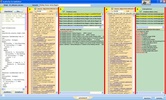
· Own, intuitive ScriptEditor with layouts and its assistant.
· CD-Ripper with conversion to 8 different formats ‘on-the-fly’. Multi-CD-ripping.
· AudioConvert to convert to 8 different audio formats.
· CueSplitter for splitting audios with the well-known CueSheets.
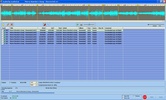
· AudioCut to cut/split audios with available silence detection.
· View images, also in original size for evaluation… Animated GIF files can be reproduced.
· Edit images: crop, max size, rotate, flip, convert… .webp format is also supported. Edit the image as a file and also directly in the TAG.
· Read and edit text files.
· Create playlists automatically.
· Create album info.
· Rename the music files using the TAG information with another click (adjustable).
· Fast renaming of covers (e.g. front, back, inlet…). Adjustable.
· The menu for searching in Internet is also freely configurable.
· QuickEditor with many useful functions (text editor).
· Own HTML-Viewer for TAG-Specs and the manuals with the F1 key.
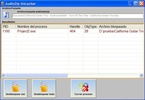
· Own unlocker that detects locked files and offers solutions.
· AudioZip monitors your free disk space wherever new files are created, configurable.
· Last but not least: The automated copying/moving of your albums to their final destination in a configurable folder structure.



















Comments
There are no opinions about AudioZip yet. Be the first! Comment